Home

A python Earth Observation toolbox


EO-Tools is a pure python toolbox that is currently able to search, download and process Sentinel-1 InSAR pairs, geocode and apply terrain correction to Sentinel-1 SLC products, download and mosaic Sentinel-2 tiles and download various publicly available DEM (Digital Elevation Models). The S1 processor can compute phase, amplitude and coherence in the SAR geometry and reproject them in a geographic coordinate system. Example notebooks demonstrating the different features are located in the notebooks-cf folder of the github repository.
New
EO-Tools can now download and process Sentinel-1 SLC partial products. Instead of downloading an entire Sentinel-1 product, the partial-product downloader retrieves the metadata and only the consecutive bursts intersecting an area of interest. The result is stored as a SAFE-like <product-id>.partial.SAFE directory and can be passed directly to the existing Sentinel-1 processors.
Partial products provide several advantages:
- Smaller downloads and reduced local storage requirements.
- Faster access to the Sentinel-1 data needed for a specific area.
- The download AOI, available subswaths, polarizations, and burst ranges are stored with the product for reproducible processing.
- Existing high-level InSAR, SLC geocoding, H-Alpha, and polarimetric covariance processing APIs automatically recognize valid partial products.
See the partial-product download tutorial and partial-product processing tutorial to get started.
Examples
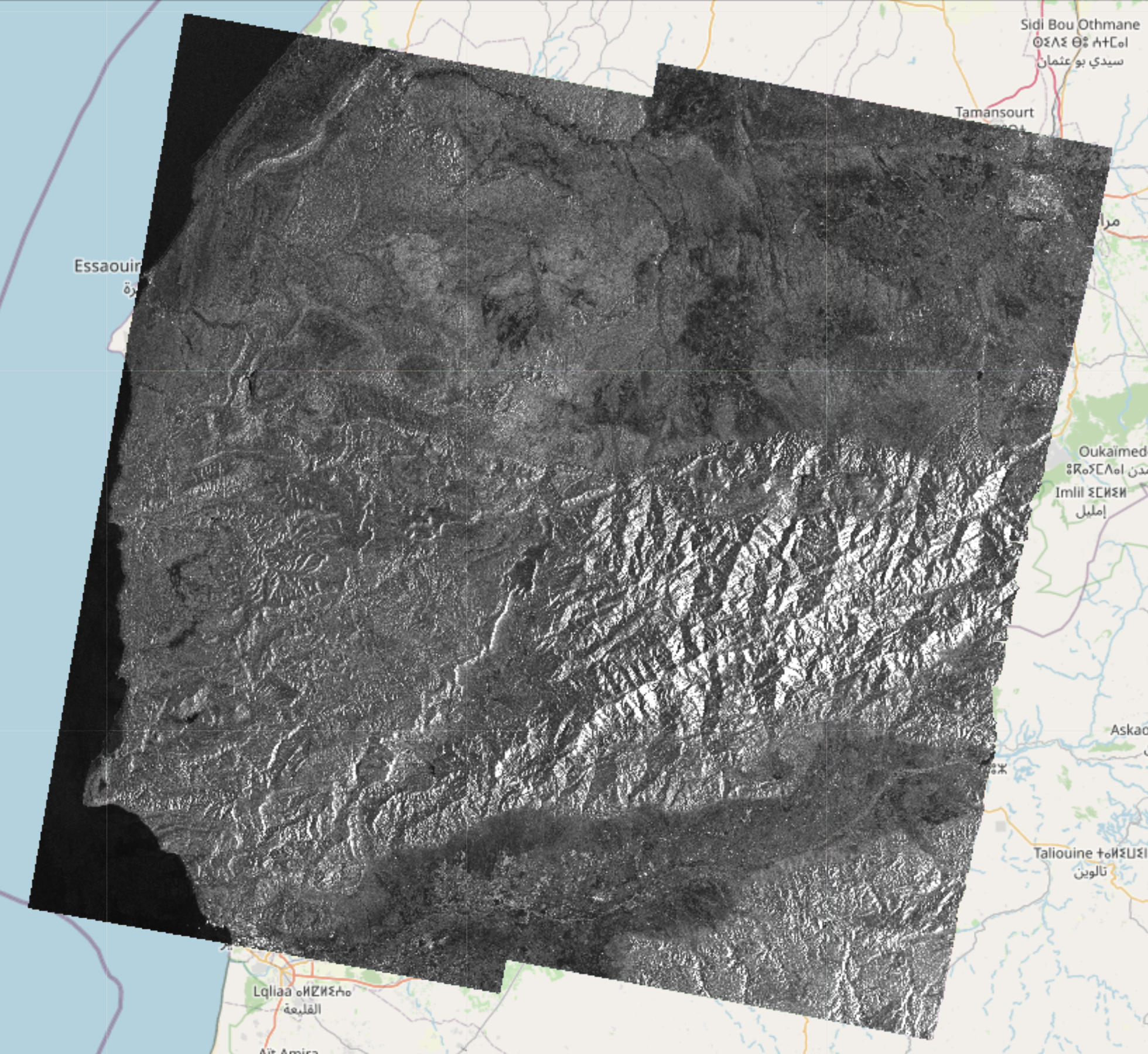
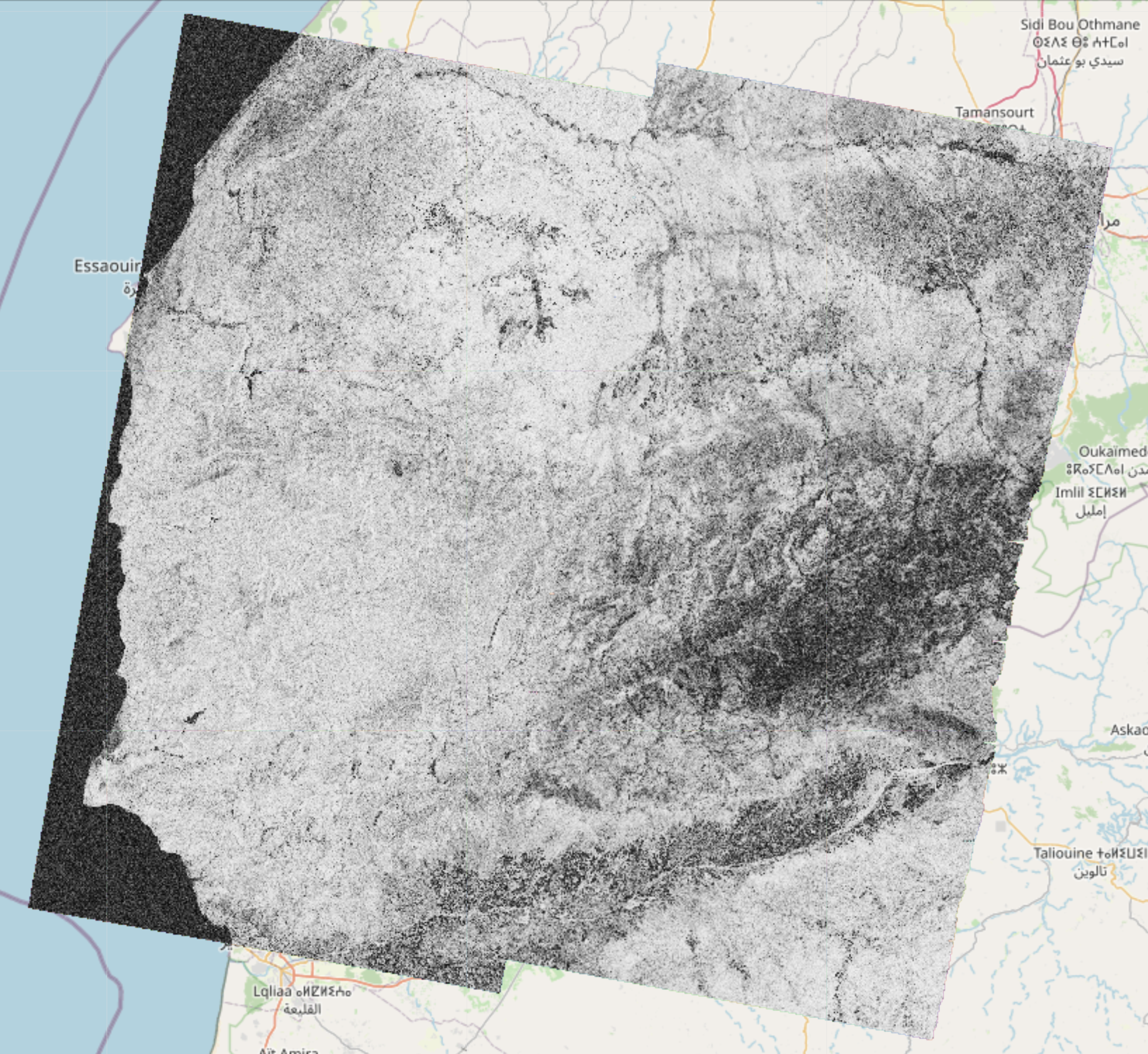
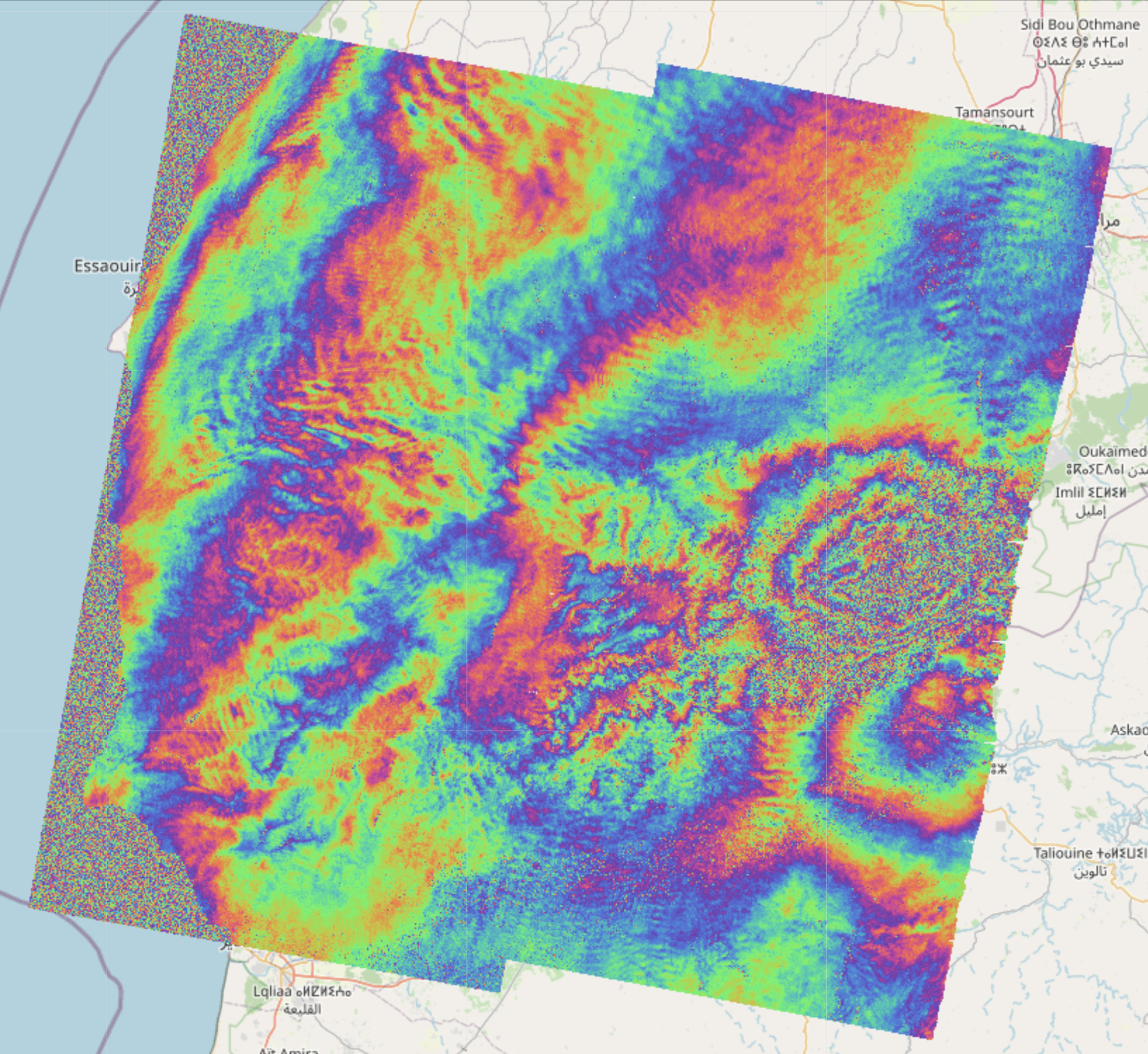
Here are examples of EO-Tools outputs showing amplitude, coherence and inteferometric phase of a 2023 earthquake in Morocco,
a comparison between Sentinel-1 amplitude, coherence, change map using two dates in 2021 and Sentinel-2 RGB image over the city of Berlin in Germany,


and the comparison between Beta nought calibration and terrain flattening using Copernicus DEM on Sentinel-1 data over Etna.


Overview
- Currently, the available features are:
- Sentinel-1
- Interferometric processing of Sentinel-1 pairs, including TOPS processing steps like azimuth deramping, DEM assisted coregistration, Range-Doppler terrain correction and Enhanced Spectral Diversity. Individual bursts can be processed as well as full products and cropped to any area of interest provided by the user
- Amplitude geocoding of SLC Sentinel-1 images, with Beta or Sigma Nought or terrain flattening calibration.
- Ability to apply processing in the SAR geometry and further project the results in a geographic coordinate systems using lookup-tables.
- Writing the result as a geocoded (terrain corrected) COG (Cloud Optimized GeoTIFF) file
- Displaying these rasters on top of a folium map in a jupyter notebook (docker version only)
- Sentinel-2
- Tile merging and geocoding
- Write any band to COG files
- Visualization of color composites (Natural RGB, CIR, SWIR, etc) on a folium map (docker version only)
- DEM
- Automatically downloads and crops a DEM given a geometry
- All products
- Search catalog (using EODAG) and download products
- Explore products by displaying their footprint on a folium map (custom function)
- Show remote and local images on top of folium maps in the notebook
- Sentinel-1
- Example notebooks can be found in the
notebooks/folder
Install & quick start
- The package comes in two flavors
- A conda package that contains the main functionality (Sentinel-1 InSAR, Sentinel-2 tile mosaic and DEM download)
- A docker version (for more advanced users) that additonally works with a TiTiler server for interactive visualization in the notebooks
Conda install (recommended)
- It is recommended to first create a conda environment to avoid package conflicts
- You need to have
condainstalled (ormamba/micromamba) - Then the package can be installed with these commands (replace
condabymambaormicromambaif needed):
conda create -n eo_tools
conda activate eo_tools
conda install conda-forge::eo-tools
Docker install
- It works as a dev container for VSCode.
- Clone the github repository into the location of your choice.
- Volumes paths can (and should) be changed in
docker-compose.yml. - After opening the main directory, VSCode should detect the devcontainer file and ask to build the container. Once the container is running, the example notebooks in the
notebooksdirectory can be used.
- Alternatively, it should also be possible to start the container from the main directory with
docker-compose up -din a terminal and attach to the container with any editor supporting docker.
Getting started
- Please make sure
jupyteris installed in your environment - Example jupyter notebooks demonstrate the different features
- For conda use the notebooks in the
notebooks-cfdirectory of the github repository - For docker use the notebooks in the
notebooksdirectory of the github repository - To be able to download products with EODAG on Copernicus Dataspace, a file named
eodag_config.yamlcontaining credentials must be created. The fileeodag_config_example.ymllocated in the repository root directory may be used for this purpose. Feel free to copy, rename and edit this file with your credentials. It is recommended to store the file in a secure location outside of the local repository.
Documentation
Documentation is available on Read the Docs.
Notice
- This project was originally forked from: https://github.com/eo2cube/s1_processor/, however since 99% of the code is now original, I have detached the fork.
- Visualization functions are using TiTiler https://developmentseed.org/titiler/
- Full-product discovery and download use EODAG https://github.com/CS-SI/eodag
- Sentinel-1 partial-product discovery and download use the Copernicus Data Space Ecosystem STAC and S3 services
Some example notebooks for the conda version
Some examples can be viewed here: